
Showing posts with label TipsandTricks. Show all posts

USB Color coded wire
Most hardware today connected to our CPU's are usb driven, meaning using usb cord or usb wire. Your keyboard, mouse, webcam, memory flash drive, some speakers, external HD or external hard drive, camera or digicam, video cam, etc.So what is inside our usb? USB stands for Universal Serial Bus. Inside our USB, we have four wires. Normally, we have the red, green, white and black. Each of these wires have corresponding code.
Red color indicates the positive wire with 5 volts of DC power. Black has always been the ground wire in almost all electronic devices. White is the data as positive wire and the green for the data as the negative wire.

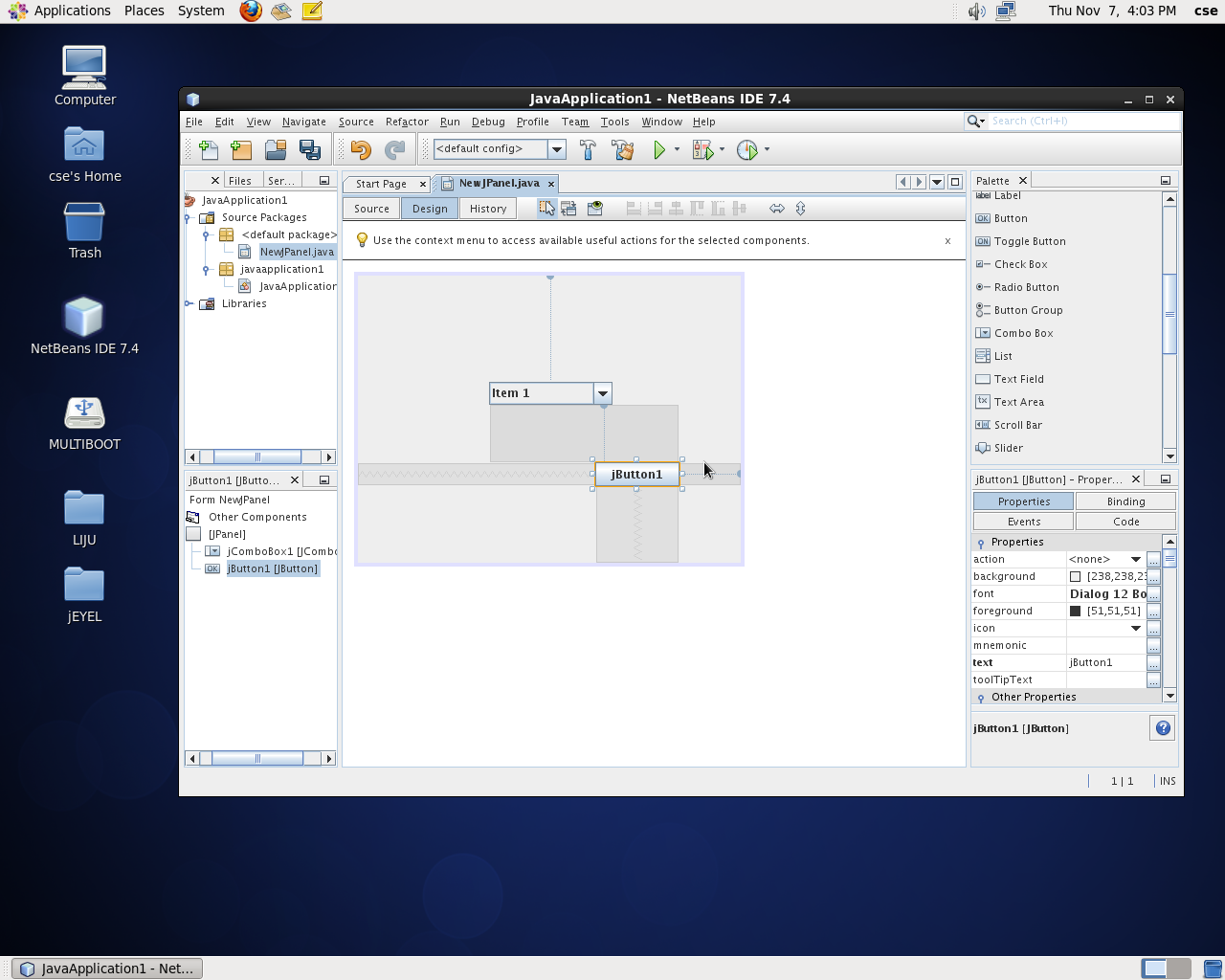
How to install JDK 7u45 with NetBeans 7.4 in Cent OS 6.4 / Ubuntu /Mint /
Step 1: Visit THIS page and download any one of the following .sh file.

Step 2: open Downloads folder, set the permission by right-click on the installer Properties -> Permissions tab -> check ‘Allow executing file as program’. Or just run command below in terminal (Ctrl+Alt+T):
Step 3: Run Installerchmod +x ~/Downloads/jdk-7u45-nb-7_4-linux*.sh
cd ~/Downloads && ./jdk-7u45-nb-7_4-linux*.sh

Finally you will get Netbeans shortcut on desktop
If any errors in cent os , pls install the corresponding .so files
after that repeat step 3
from Other Network Users [ Windows ]
 1. Right-click on My Computer on the desktop and select Manage

2. After the Computer Management console loads, expand Shared Folders
3. Select Shares
4. Look at the right side and see if your partitions are shared. It is easy to spot because it will look something like C$ or D$ which is dependent on your computer’s drive letters
If you find one or all of your
partitions there, then you’ve got administrative shares. You should
seriously consider disabling it to secure your computer.
Loading the Registry Editor
The best way to do this is to change a value in the registry. Follow the steps below to load the Registry Editor.
1. Press the Start button
2. Select Run
3. Type Regedit in the dialog box
4. Select Ok and the Registry Editor loads afterwards

Disabling administrative shares
In this task, we need to go to HKEY_LOCAL_MACHINE\System\CurrentControlSet\Services\LanManServer
\Parameters
To get there, please follow the steps below.
1. Expand HKEY_LOCAL_MACHINE
2. Expand System
3. Expand CurrentControlSet
4. Expand Services
5. Expand LanManServer
6. Select Parameters
7. Look for the REG_DWORD entry named AutoShareWks
8. Double-click on it and change the value to 0

In case the entry AutoShareWks does not exist, do the following:
1. Right-click on the right side of the editor
2. Select New, then DWORD
3. Type AutoShareWks as the name of the entry
4. Check that the value is 0
5. Close the editor
6. Reboot the computer
After rebooting, go back to the
Computer Management console and check the shares again. It should now
look something like the picture below.

Your files are now safe from other network users.

Knowing at least some of the Windows 8 keyboard shortcuts will make your Windows 8 experience much more enjoyable. Try to memorize these top Windows 8 shortcut keys.
- Press the Windows key to open the Start screen or switch to the Desktop (if open).
- Press the Windows key + D will open the Windows Desktop.
- Press the Windows key + . to pin and unpin Windows apps on the side of the screen.
- Press the Windows key + X to open the power user menu, which gives you access to many of the features most power users would want (e.g. Device Manager and Command Prompt).
- Press the Windows key + C to open the Charms.
- Press the Windows key + I to open the Settings, which is the same Settings found in Charms.
- Press and hold the Windows key + Tab to show open apps.
- Press the Windows key + Print screen to create a screen shot, which is automatically saved into your My Pictures folder.
from Windows Operating System
While Installing any Linux Distros like Ubuntu, Mint, Suse etc, choose the ext4 filesystem before disk partition which is Linux supported One. DiskInternals Linux Reader is a free Windows Utility that helps you to read Ext2/Ext3/Ext4 File systems from windows, so you can read Linux Partitions easily.
 You
can download Linux reader for free of cost. Once you install this
program in your Windows system, you can read the Linux Drives like
Windows explorer. This application provides read-only support while
accessing Linux files, which is safe and secure way to process other
operating system files. The best part of this application, you can
access the Linux files from your Windows explorer.
You
can download Linux reader for free of cost. Once you install this
program in your Windows system, you can read the Linux Drives like
Windows explorer. This application provides read-only support while
accessing Linux files, which is safe and secure way to process other
operating system files. The best part of this application, you can
access the Linux files from your Windows explorer.
While Installing any Linux Distros like Ubuntu, Mint, Suse etc, choose the ext4 filesystem before disk partition which is Linux supported One. DiskInternals Linux Reader is a free Windows Utility that helps you to read Ext2/Ext3/Ext4 File systems from windows, so you can read Linux Partitions easily.

How to use Linux Reader
Download the Linux reader using the
download link below. Launch the program and you will get the familiar
Windows explorer interface like Windows XP. It will show you all disk
partition in your system, you can open your Linux drive from that list.
Highlight the file to get the preview of that file in the bottom screen
and you can get the details of that file in left side pane.
If you want to make any changes to any files in Linux drive, you have to import that file to windows to edit that. To do that, right-click on the file and click save. Now, you can do any changes from windows Operating system.
If you want to make any changes to any files in Linux drive, you have to import that file to windows to edit that. To do that, right-click on the file and click save. Now, you can do any changes from windows Operating system.
Conclusion
Linux reader is a handy application,
if you are the Dual-boot user. You can access your Linux files instantly
from Windows. If you have Dual-boot with Mac, this program also
supports Mac OS X ( HFS ) file system. But I’ve Windows with Linux and
this program helps a lot to open any files. It’s pretty helpful. What do
you think of Linux Reader?
Download Linux Reader | 4.29 Mb | Free
Download Linux Reader | 4.29 Mb | Free
Gallery
-
 Download IT@School GNU/Linux 12.04 32bit and 64bit Download Torrent File Direct Download Copy link: Torrent Download Li...
 -
 USB Color coded wire Most hardware today connected to our CPU's are usb driven, meaning using usb cord or usb wire. Your keyboard...
 -
Breast cancer is a kind of cancer that develops from breast cells. Breast cancer usually starts off in the inner lining of milk duct...
-
from Windows Operating System While Installing any Linux Distros like Ubuntu, Mint, Suse etc, choose the ext4 filesystem before disk p...
-
 M. G. Radhakrishnan Music Director Malabar Gopalan Nair Radhakrishnan was a senior music director and Carnatic ...
 -
 ഒ രിക്കൽ നാരദൻ ശ്രീകൃഷ്ണനെ കാണാൻ ദ്വാരകയിലെത്തി. മഹർഷിയെ ശ്രീകൃഷ്ണൻ യഥാവിധി സൽക്കരിച്ചിരുത്തി. സംഭാഷണത്തിനിടെ നാരദൻ...
POPULAR POSTS


